
The largest community collection of 1,164 AutoBuild QR codes for Zelda: Tears of the Kingdom. Scan any QR code with your phone and instantly build vehicles, flying machines, weapons and more in-game. Free to use, free to share.
9
Perfectly Balanced Hoverbike
Click here to dive into the comments!
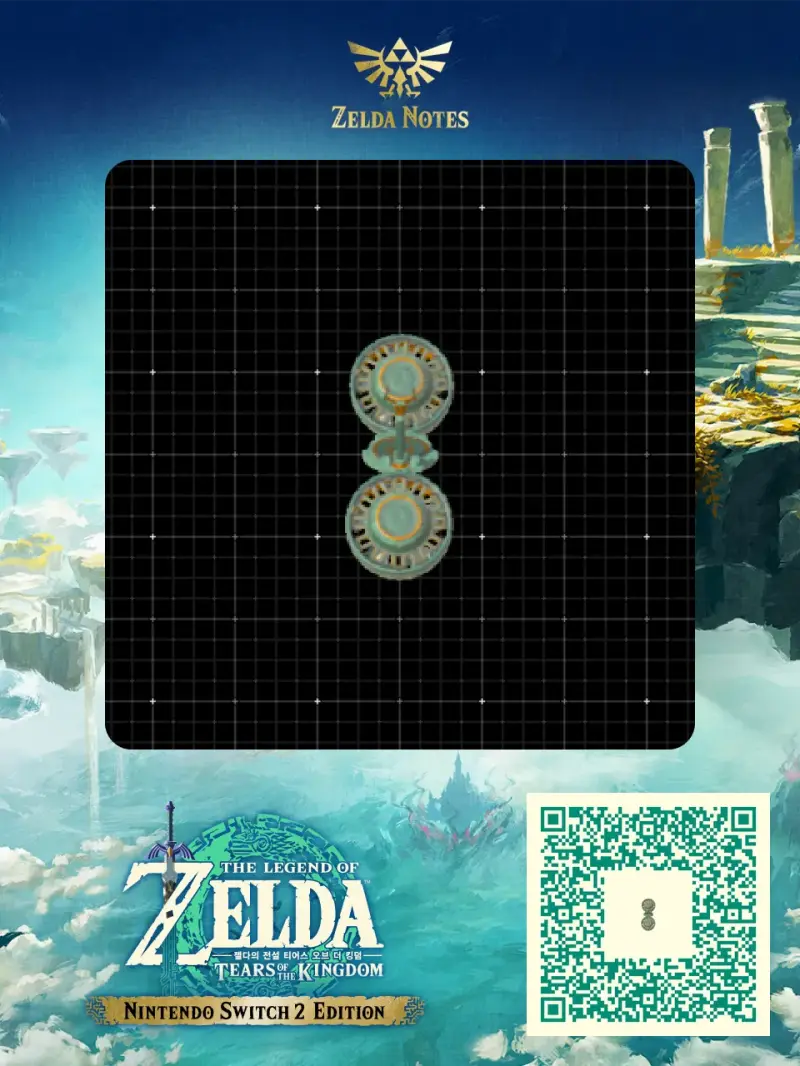
Here is everything you need to recreate Perfect Hoverbike(Air Bike) in The Legend of Zelda: Tears of the Kingdom. This hoverbike is shared by the community as a ready-to-use AutoBuild QR code, so you can scan it and rebuild it in seconds — no farming for Zonai devices and no trial and error. Below you will find the exact build cost, the tags that describe how it performs in Hyrule, and a step-by-step guide to scan it in game.
| Type | Hoverbike |
|---|---|
| Build cost | 9 Zonaite |
| Tags | Flying, Bike, bike |
| Published | October 2026 |
This is a flying build. Once built, hop on and tilt forward to accelerate. Fly higher to avoid terrain and obstacles. Rebuild anytime with AutoBuild as long as you have enough Zonaite.